Category: Technology

  • Apple Stores in Cyberjaya

    Apple Stores in Cyberjaya

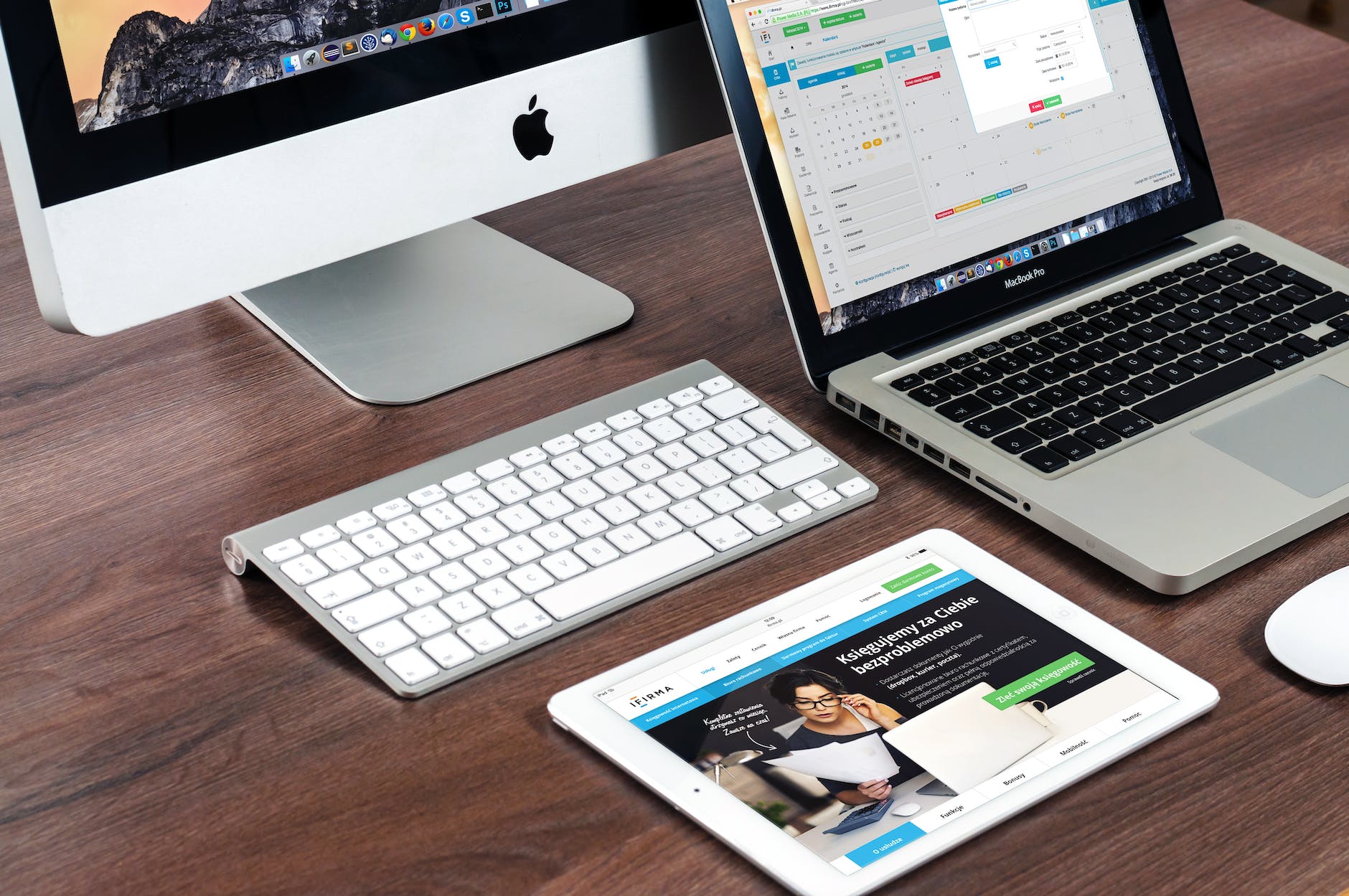
    Apple devices are very common among Malaysians and Cyberjaya residents also need a place for them to enquire or shop for Apple devices.

    List of Apple-affiliated Stores in Cyberjaya

    Cyberjaya has a number of Apple-affiliated stores.

    Machines – DPULZE Shopping Centre

    In 2021, Machines has opened an outlet in DPULZE Cyberjaya.

    IT World – Kanvas SOHO

    IT World has operated their outlet at Kanvas SOHO for many years already.

    Switch

    Switch does not have any outlet in Cyberjaya at the moment. Closest one to you is at Alamanda Putrajaya.

    Repair Options for Your Apple Devices in Cyberjaya

    Thunder is the name of repair shop affiliated with Thunder Match. Nearest one to Cyberjaya is at Conezion near to IOI City Mall.

  • Recommended PC Specifications (2022)

    Build based on Alder Lake

    Home Office Use and Data Storage

    • CPU: Intel Core i5 12600K (Alder Lake)
    • Motherboard: Z690 Chipset or H series
    • RAM: 2x 8 GB DDR4
    • Primary Storage: Samsung 980 SSD
    • RM 300 Casing

    1080p Gaming and Multimedia

    Total: RM xx

    • CPU: Intel Core i5 12500 (RM 950)
    • Motherboard: Z690 Chipset
    • RAM: 2x 8 GB DDR4
    • GPU: Gigabyte NVIDIA RTX 3060
    • Primary Storage: Samsung 980 SSD
    • RM 300 Casing

    Overclocking

    Total: RM xx

    • CPU: Intel Core i5 12600K (Alder Lake)
    • Motherboard: Z690 Chipset
    • RAM: 2x 8 GB DDR4
    • GPU: Gigabyte NVIDIA RTX 3060
    • Primary Storage: Samsung 980 SSD
    • RM 300 Casing
  • WordPress Cloudflare Plugin Conflict

    WordPress Cloudflare Plugin Conflict

    If you are running Cloudflare plugin concurrently with Litespeed on your WordPress installation, chances are you will see an alert message on the Dashboard menu. This is due to WordPress Cloudflare plugin conflict with Litespeed plugin.

    No reason was specified on the alert but it is best if you choose either one (Litespeed or Cloudflare).

    As such, in order for you to solve the WordPress Cloudflare plugin conflict, you are advised to disable either one of the plugin.

    Cloudflare is a Content Delivery Network (CDN) service utilising many of its servers globally. It operates on a freemium model whereby users can start for free and pay for additional services should they feel necessary.

    Like Cloudflare, Litespeed is also a reputable CDN service provider. Users can also start for free and add paid service after. In terms of implementation, Litespeed has some siginificant differences compared to Cloudflare.

  • PRS Investment FPX Problem

    PRS Investment FPX Problem

    CYBERJAYA, 5 Jan 2022 – Investors keen on investing on Private Retirement Scheme (PRS) found themselves unable to proceed with their investment. The PRS Investment is not working due to FPX system problem.

    FPX is a payment process system based in Malaysia and operated by Payments Network Malaysia. Participating banks consist of most banks operating in Malaysia.

    Private Retirement Scheme (PRS) is an alternative retirement fund under Malaysian government initiative. It is currently operated by Private Pension Administrator.

    Benefits of PRS include online account system for initial investment and top-up. Apart from that, investors are also able to control how much money they want to put in the fund.

    The withdrawal options are fairly limited. Contributors have more options to withdraw from EPF compared to PRS.

    myPPA Application

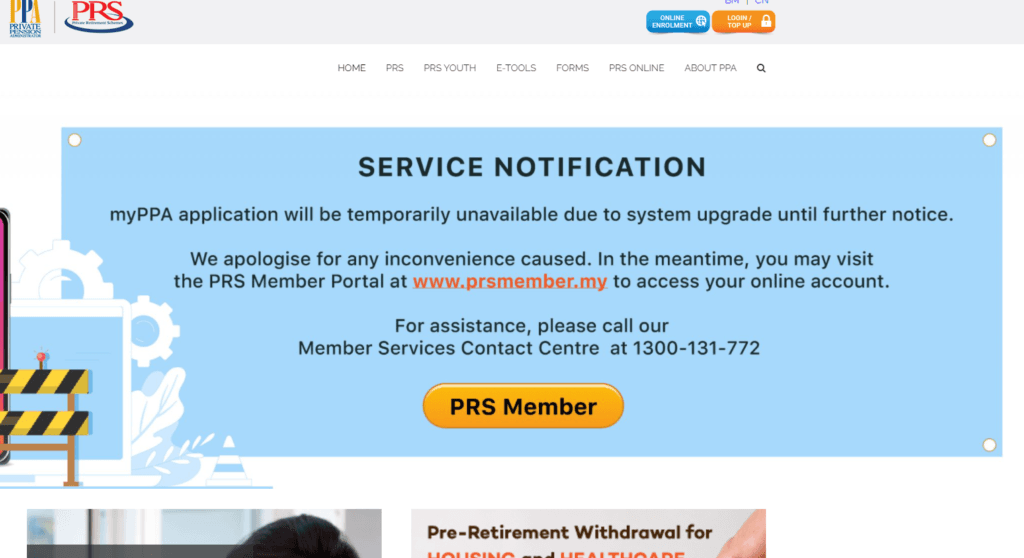
    An announcement was posted on PPA website mentioning that myPPA application will be temporarily unavailable. No fixed date has been assigned by PPA on the portal’s resumption of service.

    However, clicks on the Online Enrollment form is still showing signup process. Looks fine, except when you want to make the payment for your first investment.

    Hence, users are advised to hold their PRS registration until it is fixed.

    For more information, you can check out PPA website.

  • MRANTI: New Agency Under MOSTI

    MRANTI: New Agency Under MOSTI

    Cyberjaya, 10 November 2021 – The Malaysian government through Ministry of Science, Technology and Innovation (MOSTI) has decided to merge Malaysian Global Innovation and Creativity Centre (MaGIC) and Technology Park Malaysia into a single entity, MRANTI.

    Objective of the Formation of MRANTI

    The new government agency is established to facilitate the technological advancement process in Malaysia. It is expected to play a key role in accelerating commercialisation of Malaysia’s technology and innovation.

    Opinion

    When MaGIC was first established, general Malaysian population is largely optimistic on its ability to cultivate innovation and technology-centred culture in Malaysia.

    We had the opportunity to ask MaGIC’s CEO, Ashran Dato’ Ghazi (when he was still holding the post) on what is his vision on Cyberjaya as the new technology hub. He was quite optimist on the new lease of life given to Cyberjaya. Cyberjaya during its early days managed to attract many Multi-national Companies (MNCs) to operate here. However, not many are able to sustain their operation here for various reasons.

    Startup is a relatively new field in Malaysia and it requires a conducive ecosystem for it to grow. For decades, Malaysian government has been trying to do it right by utilising various channels. Among them is to give various incentives and putting the startups together “under one roof”.

    It appears to us that we are currently lacking a conducive ecosystem, not government initiatives. As such, the decision to merge together TPM and MaGIC is very welcomed so that the operation can be streamlined and initiatives can be executed in an efficient manner.

    Sources

    1. MOSTI forms MRANTI to facilitate idea generation, development process | The Edge Markets
  • Why My Computer Won’t Start

    Question: I tried to turn on my computer but it wont boot up. What could be the reason?

    Answer: As your PC boots up, it goes through several stages. Failure can happen at any of the stages. Here are the details:

    Stages of PC Bootup

    Stage 1: Power on – If the PC did not display any reaction when you press the power button, probably there is something wrong with the power delivery. The first check is on the cabling and Power Supply Unit (PSU). Then, check for any loose connectors. If the connectors are snugly fit and electricity is present, then most probably it’s the power supply.

    Stage 2: POST – Power On Self Test (POST): Upon successful power on, the computer initiates start-up process to many of the internal hardware components. This process is handled by BIOS. The POST process able to operate even without the presence of an Operating System. POST conducts various tests on computer RAM, input/output devices and disk drives. If POST fails, text output will be displayed on computer monitor and/or beeping sound will be played through computer audio.

    Stage 3: Operating System – Upon successful POST, the BIOS tries to find the computer’s Operating System (OS). Take note that some computers may have more than one OS.

    Stage 4: Transfer of control to the OS – This is the last stage of bootup when the computer transfers the control of devices to the OS. Before the bootup process finishes,

    Things to know

    BIOS: Your PC boots up but there is a old-looking text displayed on the monitor. If you pass this and operating system loading screen is being displayed, then most probably your basic hardware is working fine.

    Motherboard: If your motherboard fails, then probably the BIOS will show some information on the display.

    RAM: If your RAM is not working, then the error information will be displayed by the BIOS upon bootup.

    Graphics Card: If your Graphics card fail to produce image, you will not see anything on the display.

    Storage device: If your hard drive or SSD fails, error information will be displayed on the screen.

    Operating System: If there is a problem with your Operating System (OS), it can be really challenging to find its source. As such, it is important to keep your OS in good shape.

    Why Your Computer Won’t Start – Finding Solutions

    Sometimes, troubleshooting can be tedious. However, if you refer to the information given above and understand better on the bootup flow, you will have a better grasp on how the internal components in the computer works and interact with each other.

    Sources

    1. 6 steps in the booting process of a computer with diagram (sciencerack.com)
    2. Five Steps of the Computer Bootup Process | Techwalla
  • Types of USB Connectors

    Types of USB Connectors

    In this article, we would like to share with you all of the popular types of USB connectors.

    Types of USB connectors – ports, cables and protocol

    Most of the connectors are bound to a specific protocol.

    USB Type A

    This is the most common look of a USB port. You can see Type A male for most usb cables and type A female at the ports. Sometimes, you can also find Type A female at the cables. This is known as USB OTG cable (on-the-go).

    USB Type B

    This is usually used to connect to devices. Printers and Uninterruptable Power Supply (UPS) usually use this connector.

    USB Type C

    USB Type C is getting increasingly popular due to their increasing adoption among mobile phone users. Besides, a lot of laptop manufacturers such as Apple, Lenovo and Dell also integrates USB Type C port on many of their notebook models.

  • Recommended PC Specifications (2021)

    Recommended PC Specifications (2021)

    Recommended PC Specifications (2021)

    Recommended PC Specifications (2021) – Purposes

    Different build suits different needs.

    Home Office Use and Data Storage (Alder Lake)

    • CPU: Intel Core i5 12600K (Alder Lake)
    • Motherboard: Z690 Chipset or H series
    • RAM: 2x 8 GB DDR4
    • Primary Storage: Samsung 980 SSD
    • RM 300 Casing

    Mainstream OC Home Office Use and Data Storage (Rocket Lake)

    Total: RM xx

    • CPU: Intel Core i5 11600K
    • Motherboard: Z590
    • RAM: 2x 8 GB DDR4 3200 mhz
    • Primary Storage: 1 TB Samsung 980 SSD
    • RM 300 Casing

    Mainstream Home Office Use and Data Storage (Rocket Lake)

    Total: RM 2,985.00

    • RM 949 CPU: Intel Core i5 11500 2.7 GHz
    • RM 629 Motherboard: ASUS PRIME H570M-PLUS
    • RM 438 RAM: 2x 8 GB DDR4 3200 mhz
    • RM 669 Primary Storage: 1 TB Samsung 980 SSD
    • RM 300 Casing

    Budget Home Office Use and Data Storage (Rocket Lake)

    Total: RM 2,655.00

    • RM 509 CPU: Intel Core i3 10100 3.6 GHz
    • RM 539 Motherboard: ASUS PRIME B460M-A,
    • RM 438 RAM: 2x 8 GB DDR4
    • RM 669 Primary Storage: 1 TB Samsung 980 SSD
    • RM 300 Casing
    • RM 200 PSU

    Recommended PC Casing

    If you need to attach 4x 3.5″ drives or more, look at Carbide Series 678C Low Noise Tempered Glass ATX Case — Black (corsair.com). The price may be hefty but the features are great, especially considering many other casings in the market have ditched extra 3.5″ drive support in favour of other accessories.

  • Calling Tollfree 1800 from Malaysian number

    Calling Tollfree 1800 from Malaysian number

    Most of us have probably encountered some experience in contacting customer service via phone in Malaysia. Some of the providers are comfortable with regular 03-xxxx xxxx or 01x-xxx xxxx number. The bigger ones usually have a tollfree or LoCall number. Tollfree number is indicated by the 1800 prefix while LoCall number has “1300” prefix. In this artcile, we would like to share with you about Calling Tollfree 1800 from Malaysian number, whether you will be charged or not.

    Tollfree number is a popular choice among service providers. Call charges to a tollfree number will be billed directly to the service provider (the owner of the tollfree number). Then, the telco will charge the number owner based on the volume of calls made to that particular number.

    Anyone who have tried calling customer service before should know how long is the call duration. The calls can last for at least 15 minutes easily, depending on the issue. Some phone calls may even last for more than 30 minutes. The first few minutes is spent on waiting for the service provide to speak and give direction to us. Then, probably we need to wait until the next agent is available.

    Since many of the Malaysians rely on their cellular phone for communication, most of the calls made to 1800 number will be charged. The indirect benefit of this is people will call only when they absolutely need the service.

    Calling Tollfree 1800 from Malaysian cellular number

    Our experience in using multiple popular telcos in Malaysia has indicated that no telco is giving free calls to the so-called tollfree number. This is also applies for telcos offering talktime plans with unlimited calls!

    So, if you are calling from a mobile number, make sure you are aware of the call duration. Besides, you probably would want to check on the call rate from your telco.

    Calling Tollfree 1800 from Malaysian fixed line number

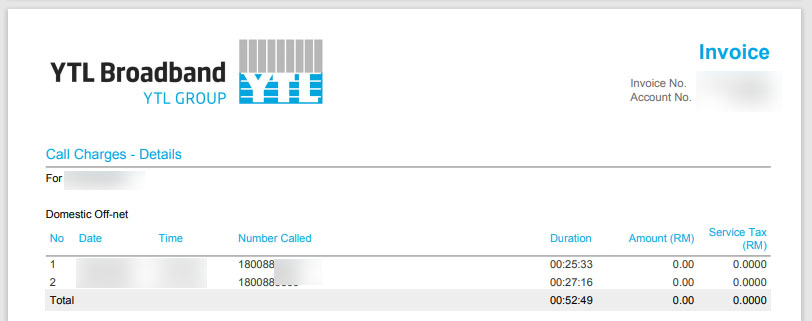
    Calling from real fixed line or IP phone will not be charged, according to our experiment with TM and YTL broadband lines.

    Some users have been complaining that their fixed line was also charged when they call the tollfree number. However, users need to pay attention on their “fixed line number”. If it is a number assigned to cellular service, highly likely the number is a cellular number, hence you need to pay regular charges

    Calling tollfree 1800 from Malaysian unlimited call plans

    Most, if not all, Malaysian telcos offer unlimited call plans as part of their service offering to their customers. However, often times the service does not include free calls to 1800 number.

    Popular Malaysian telcos such as Maxis, Celcom, Digi offer plans with unlimited calls but users will find themselves still be charged when they want to call 1800 number from their line.

    Best answer? Check with the respective telcos

    It is best if you check with the telco(s) before you subscribe. The same tips also applies if you want to check whether the service comes with a Public IP address or not.

    The best way is to get answer from the telcos themselves. Otherwise, if you are looking at a quick answer to your queries, just hit their customer service number and direct your queries to available service personnel.

    If you are TM or Unifi customer, you can visit TM Cyberjaya if you require support assistance in person.

    Sources

    1. Difference between 1800 & 1300 Number | Tollfree Malaysia
  • Smart Home Guide 2021: Malaysian Edition

    Smart Home Guide 2021: Malaysian Edition

    We are compiling information on smart home system. As such, we would like to share information about smart home implementation in Malaysia with Smart Home Guide 2021: Malaysian Edition.

    Setting up a smart home can be tedious. However, the good news is you can always start small. Most people would start with vendor-specific smart app then integrate it together via Apple HomeKit or Google Home. You can even start with as small as one smart device and expand it later.

    Smart Home Guide 2021: Malaysian Edition – Apple HomeKit vs Google Home

    It depends on your choice of devices. If you already have a lot of Apple Devices at Home, then it is recommended to utilise Apple HomeKit compatible devices.

    If you don’t mind, then it is best to stick with Google Home-compatible devices. This is because a lot of devices sold in the market

    Smart Home App System

    Most of the time, vendors will provide a compatible app for you to use. Details are as follows:

    Smart Life / Tuya: Smart Life and Tuya are compatible with each other. However, our recommendation would be to use Smart Life.

    Samsung SmartThings: SmartThings is a smart home app offered by Samsung. It allows you to operate supported Samsung smart devices at home such as TV and air conditioner.

    LG ThinQ: ThinQ is a smart home ecosystem powered by LG. Similar like SmartThings, you can control a number of supported smart devices using the app.

    Communication Protocol

    WiFi: Needless to say, WiFi is a must for you to run smart home.

    Zigbee: Zigbee is a low-cost, low-power, wireless mesh network standard. If you intend to use Zigbee smart devices, then you will need to have a Zigbee hub.

    Smart Switches

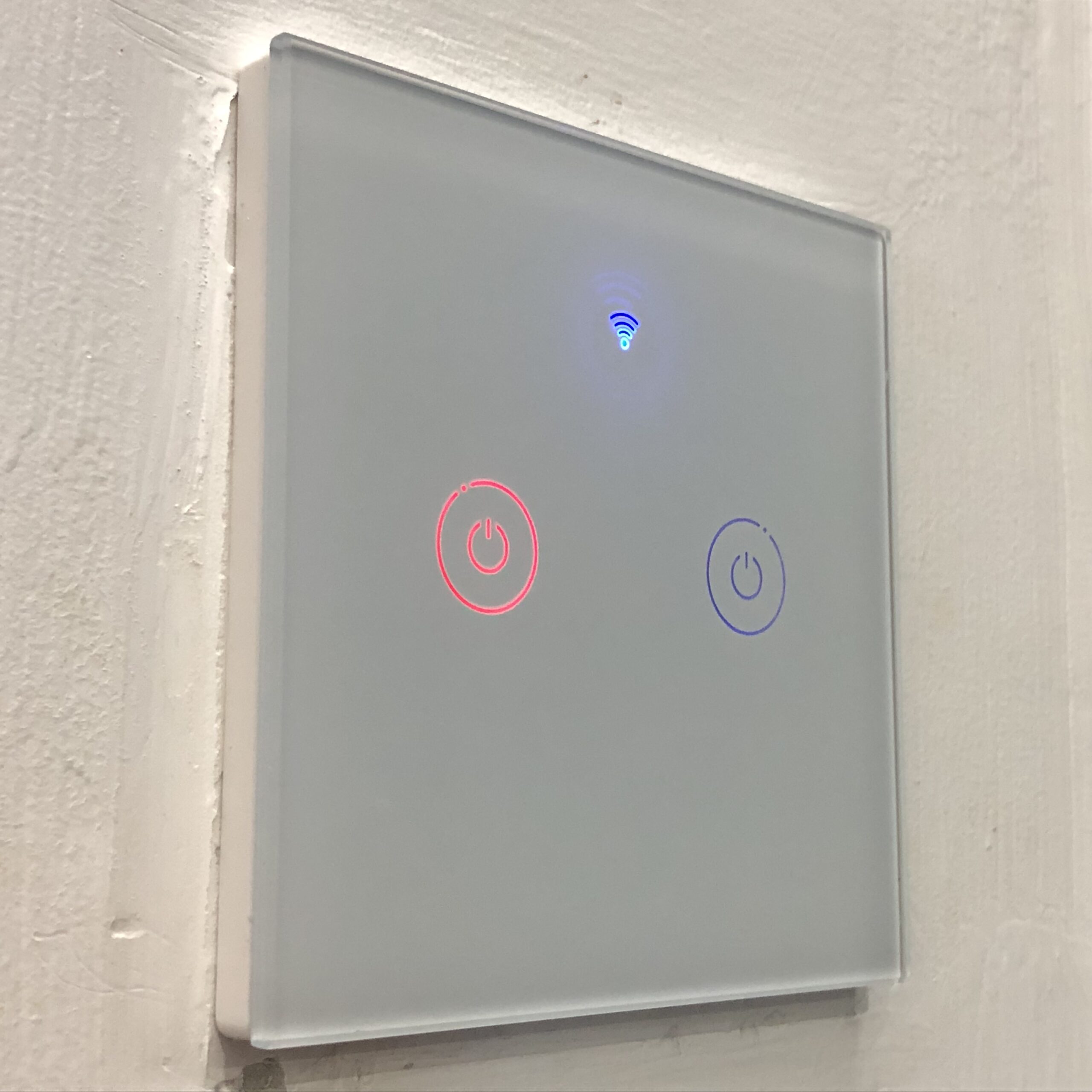
    Smart switch functions much like your regular rocker switch. However, they are equipped with smart features such as remote power on / power off and timer.

    If your home wiring does not have neutral wire at the switches, then you will need to use capacitor at the electrical connection.

    Smart Power Outlets

    Smart Power Outlets can give you more control on any electrical device that you connect to the smart outlet. Features include on/off scheduling, countdown timer, and power usage information.

    Preparing Network

    Internet connection: Fibre is recommended. However, if fibre connection is not available, any internet connection such as copper wire (DSL) or cellular is fine.

    Network connection: Having a robust home network is recommended. Invest in a good router.

    Care to read more? Take your time to learn more about preparing home network with our own Home Networking setup guide.

    Sources

    1. Zigbee – Wikipedia